







Notes: private & encrypted APK for Android
- Free
- 4
- 1
- V2.9.2
Free Download for Android
View an ad to download for free

- PWN-ALL Auditing, Reviewing & Testing Cyber Risks CO. L.L.C
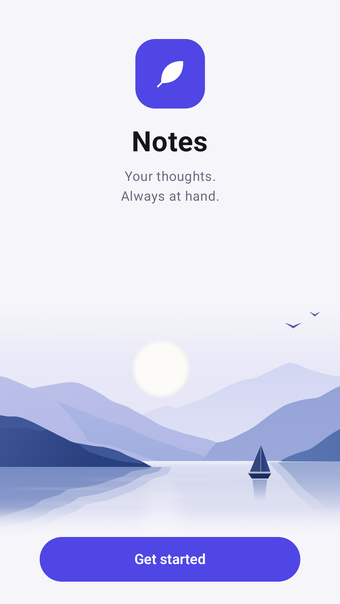
Private notes with voice, photos, checklists and more
Notes that stay yours. Write, format, attach, dictate — and keep every word on your own device.
The app has no internet permission at all. Not “we promise not to send anything” — it physically cannot. You can verify it yourself in the published package.
WRITE THE WAY YOU THINK
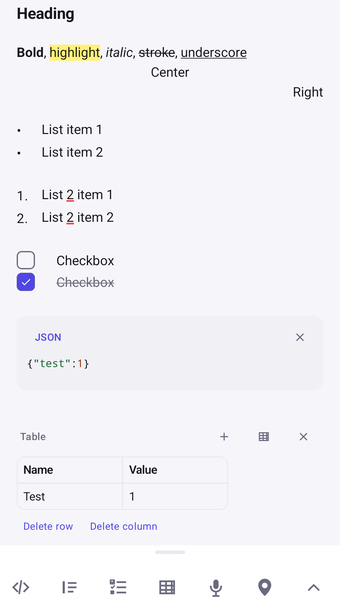
• Bold and italic as you type — no markup to remember
• Bullets, numbered lists and checklists with strike-through
• Headings for longer notes
• Photos from the gallery or camera, plus an in-note drawing canvas
• Voice recordings with a real waveform, right inside the note
• Pin your current location — see satellites, signal quality, accuracy and altitude before saving it
• Open pinned places later in Google Maps, Organic Maps, OsmAnd or another map app
DICTATION THAT STAYS ON THE PHONE
• Use your own recognition model: processing happens on the phone, and text appears as each phrase is understood
• Live voice bars sit above the toolbar instead of covering your note
• Dictate anywhere: place the cursor, tap “Dictate”, and words appear there
• Transcribe existing recordings too, regardless of which phone recorded them
• Choose from 35 models for 26 languages, with search, real download sizes and one-tap install. Your browser downloads the model — the app itself still cannot access the network
• Or use Android’s recognizer or another installed engine — the app tells you where the audio goes
REMINDERS, BY TIME OR PLACE
• Set a reminder for a time or location — a shopping list near the shop, “take the keys” at the front door
• Set it once and the note can return when you come back, even with the app closed
• Place reminders use background location. Android compares your position with the saved point locally on the phone
• Background location is requested only when you create your first place reminder, with an explanation why. Decline it and everything else still works; place reminders then fire only while the app is open
PROTECTION THAT ACTUALLY PROTECTS
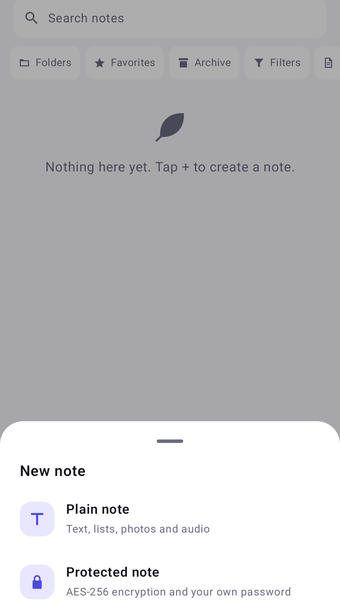
• Protected notes use AES-256-GCM encryption
• The key is derived from your password with PBKDF2-HMAC-SHA256 and 210,000 iterations
• Your password is never stored — the wrong password simply decrypts nothing
• Attachments are encrypted with the same key
• Unlock protected notes with a fingerprint or face if you prefer
• No master key, no reset link. Forget the password and nobody — including us — can recover the note
LOCK THE WHOLE APP
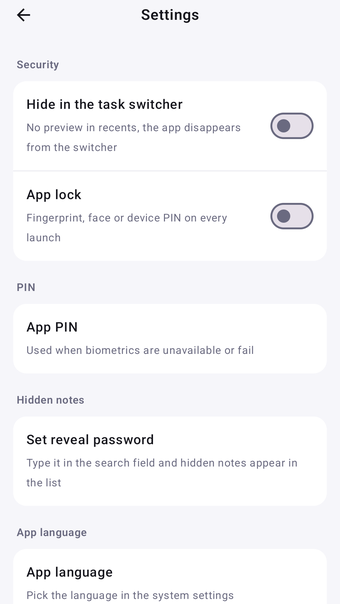
• Use fingerprint, face or your device PIN
• Or set an app PIN, even on phones without a screen lock
• Hide the app from the task switcher so nothing appears in recent apps
HIDDEN NOTES
Hide a note and it disappears from both the list and search. Type your reveal password into search to bring hidden notes back. There is no separate folder — and no indication that hidden notes exist.
SEARCH THAT RESPECTS SECRETS
Search titles and note text, but never hidden or protected notes.
YOUR DATA STAYS YOURS
• No accounts, sign-in or sync
• No analytics, trackers or advertising
• Cloud backup and device transfer are disabled
• Export everything as a ZIP, optionally encrypted with AES-256
• Or export to Markdown or PDF, preserving photos and working links
DRAFTS SURVIVE
Text is saved to disk whenever you pause, at least every ten seconds while typing continuously, and when the app goes into the background. A dead battery should not take your note with it.
ALSO
• 25 languages
• Light and dark themes that follow the system
• Full TalkBack support and WCAG-checked contrast
• Completely offline, forever — with no subscription
Loading…
About permissions
Before downloading, you can take a quick look at the permissions this app may request on your device. App permissions allow certain features to work properly, such as accessing your camera to take photos, your location for maps, or your storage to save files.
In this section, you’ll find a clear and simple overview of the types of permissions the app uses, grouped by their level of sensitivity, along with a visual breakdown to help you understand them at a glance. This way, you can see how the app interacts with your device and decide to download with confidence.
Permissions types
- Standard
- 11%
- Sensitive
- 89%
Permissions distribution
- Privacy
- 33%
- Data collected
- 56%
- Data shared
- 11%
Data safety info
Privacy
3 permissions
Permissions that allow the app to access personal or sensitive information stored on your device, such as location, contacts, camera, or microphone.
- android.permission.USE_BIOMETRIC
- Sensitive
- android.permission.RECEIVE_BOOT_COMPLETED
- Standard
- android.permission.USE_FINGERPRINT
- Sensitive
Data collected
5 permissions
Information the app may gather from your device or usage activity to enable features, personalize content, and improve overall performance.
- android.permission.CAMERA
- Sensitive
- android.permission.ACCESS_COARSE_LOCATION
- Sensitive
- android.permission.RECORD_AUDIO
- Sensitive
- android.permission.ACCESS_FINE_LOCATION
- Sensitive
- android.permission.ACCESS_BACKGROUND_LOCATION
- Sensitive
Data shared
1 permissions
Information that may be shared with trusted third parties to provide services, support app functionality, or deliver relevant content.
- android.permission.POST_NOTIFICATIONS
- Sensitive
This report summarises the permissions declared by the app at the time of scanning and groups them into Privacy, Data collected and Data shared. A declared permission shows what the app can access, it does not necessarily mean personal data is collected or transmitted. For full details check the app’s privacy policy and the developer’s clarifications shown below. Softonic generates this report automatically from the package metadata; it is informational and not a substitute for a full security or privacy audit.
App specs
Developer
- PWN-ALL Auditing, Reviewing & Testing Cyber Risks CO. L.L.C
License
Free
Version
2.9.2
Latest update
Platform
Android
OS
Android 10.0
Language
English
Available languages
- Spanish
- English
- French
- German
- Italian
- Portuguese
- Russian
- Polish
- Chinese
- Turkish
- Arabic
- Korean
- Japanese
- Swedish
- Czech
- Hindi
Downloads
1
Size
110.92 MB
Download Options
APK, Google Play
Filename
1787851573655-55128569-universal.apk
Program available in other languages
Notes: private & encrypted APK for Android
- Free
- 4
- 1
- V2.9.2
Free APK Download for Android
View an ad to download for free
User reviews about Notes: private & encrypted
Have you tried Notes: private & encrypted? Be the first to leave your opinion!
Add reviewTop downloads Agenda & Calendars for Android
Penly: Digital Planner & Notes
An all-in-one digital planner and notes app

ColorNote
ColorNote: A Versatile Note-Taking App
LDS Tools
Download directory information for your ward, branch, stake, or district.
ColorNote Notepad Notes
Note organizer, reminders and to-do lists and much more
Lockscreen Calendar Maker
Turn your Android lock screen into a glanceable schedule
Top downloads Agenda & Calendars for Android
Penly: Digital Planner & Notes
An all-in-one digital planner and notes app
ColorNote
ColorNote: A Versatile Note-Taking App
ColorNote Notepad Notes
Note organizer, reminders and to-do lists and much more
Microsoft To Do: List Task Reminder
A free program for Android, by Microsoft Corporation.
Year Glance: Days Count Visual
A visual reminder of time moving
Top downloads Agenda & Calendars for Android
Related topics about Notes: private & encrypted
Latest articles

The X-Files’ “Home” is still terrifying nearly 30 years on

Peanuts’ Charlotte Braun resurfaces: one reader got her dropped

Exodus is announced for 2026: a new sci-fi epic

GTA: San Andreas gets a Twitch mod: viewers can call CJ live

Game of Thrones: Legends adds Oberyn Martell: A Blood Debt begins September 12
Laws concerning the use of this software vary from country to country. We do not encourage or condone the use of this program if it is in violation of these laws. Softonic may receive a referral fee if you click or buy any of the products featured here.